While you can use udp.dstport == 37008 to filter for MikroTik’s packet sniffer, I prefer to set up the ‘UDP Listener remote capture: udpdump’ feature in Wireshark. This way you will have a clean packet capture without having to filter out unrelated traffic, with the benefit of also not spamming your router with ICMP ‘Destination Unreachable’ packets.
Requirements
Now there is a reason why this isn’t often recommended, and that’s because it requires the UDPdump component, which isn’t selected by default when you install Wireshark on Windows. So you may need to reinstall Wireshark and select the ‘UDPdump’ component in the installer.
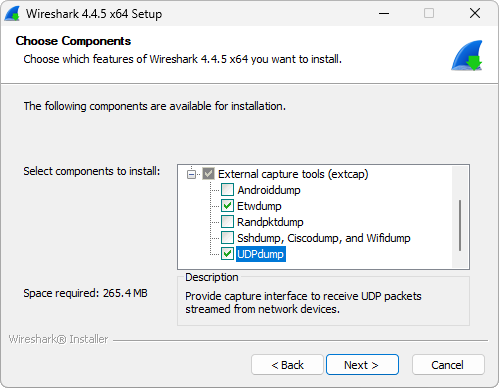
On Debian it’s included in the wireshark-common package, which should be installed automatically. I’d assume other distributions would be similar.
MikroTik Packet Sniffer Configuration
In the Mikrotik Packet Sniffer you need to enable streaming and set the server to your Wireshark machine’s IP address. You may also want to set a filter in the filter tab to limit the traffic being captured.
Setup
-
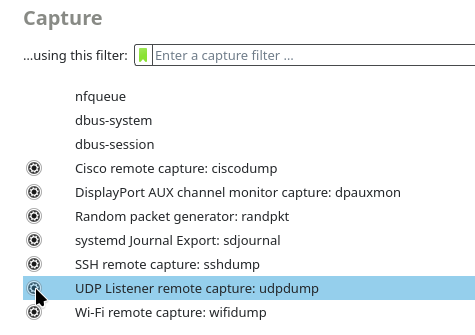
In the ‘Capture’ menu, click the little gear icon next to “UDP Listener remote capture: udpdump”.
-
A new window will open, enter your configured listen port (default is
37008) and entertzspas the payload type.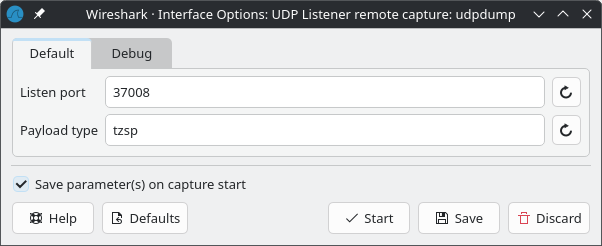
-
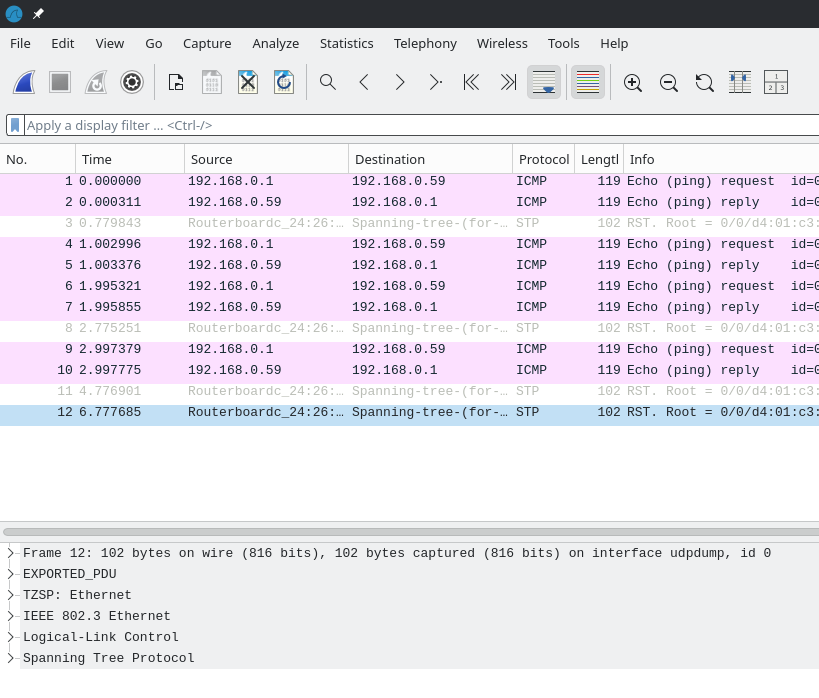
Click ‘Save’ and then ‘Start’ to begin capturing packets.
Thanks for reading!
Steve.
Comments
Reply