Sometimes when connecting to a network with a captive portal, the network will provide some additional information via the Captive Portal API (RFC 8908). On Android, this information can be used to show an ‘Open Site’ button in the WiFi settings, and an expiry date/time for the network. I was wondering if it was possible to add this information without the whole captive portal setup, and it turns out it is!
On Android, this looks like this:
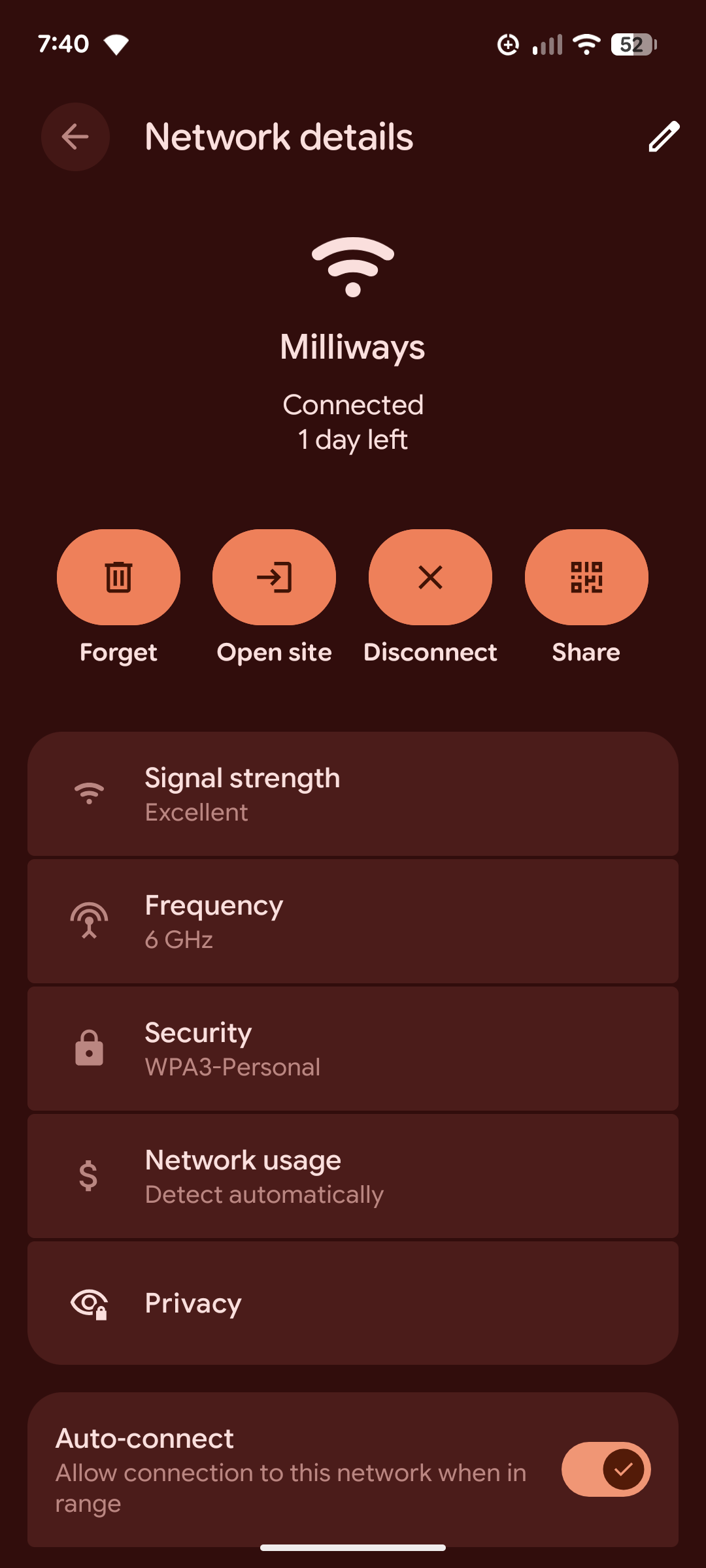
See the ‘1 day left’ text under the network name (this is seconds-remaining below), and the ‘Open site’ button (this is venue-info-url below). Although something to note, the expiry is purely informational on Android, your device will not disconnect when the session expires, nor will it forget the network.
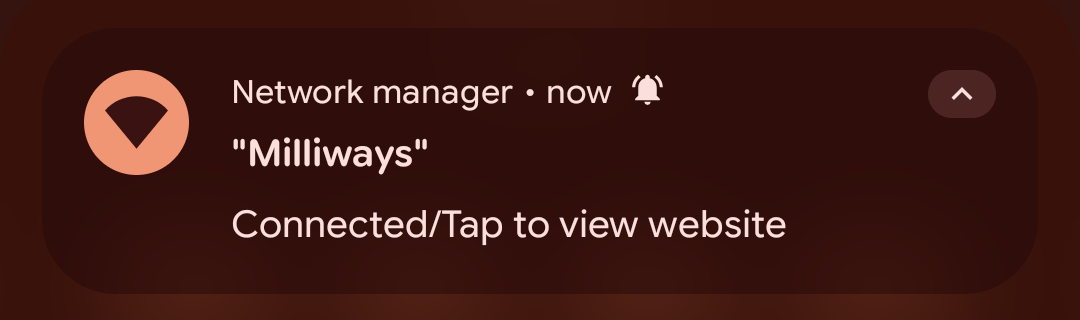
Android will also show a notification as a shortcut to the venue url:
I have no idea how Apple handles this, but please let me know in the comments!
Advertising the Captive Portal API
The Captive Portal API is advertised via DHCP option 114. You will need to be able to add custom DHCP options to your DHCP server. Here is an example configuration for MikroTik RouterOS:
/ip/dhcp-server/option/add name=captive code=114 value="s'https://captive-demo.stevetech.workers.dev/?seconds-remaining=604800&venue-info-url=https://stevetech.me'" force=yes
/ip/dhcp-server/option/sets/add name=captive-set options=captive
/ip/dhcp-server/set <your dhcp server name> dhcp-option-set=captive-set
This is also option 103 in DHCPv6, or option 37 in IPv6 Router Advertisements.
The Captive Portal API
The Captive Portal API is just a JSON object served over only HTTPS, plain HTTP is not supported as per the RFC. You must also set Content-Type: application/captive+json and Cache-Control: private (or Cache-Control: no-store) headers.
As for the JSON itself, only captive is required and is a boolean indicating if the device is being held captive or not. The other fields are optional, and are listed below:
user-portal-url: URL to the captive portal login page.venue-info-url: URL to a page with information about the venue.can-extend-session: Boolean indicating if the session can be extended.seconds-remaining: Number of seconds remaining in the session.bytes-remaining: Number of bytes remaining in the session.
Here is an example response listed in the RFC:
HTTP/1.1 200 OK
Cache-Control: private
Date: Mon, 02 Mar 2020 05:08:13 GMT
Content-Type: application/captive+json

{
   "captive": false,
   "user-portal-url": "https://example.org/portal.html",
   "venue-info-url": "https://flight.example.com/entertainment",
   "seconds-remaining": 326,
   "can-extend-session": true
}
Demo Captive Portal API
I have created a demo Captive Portal API that you can use to test this out: https://captive-demo.stevetech.workers.dev/. The path is a boolean to set the captive field, /true for true and any other value for false (there is no captivity handled here, so you should not set it to true). You can also add the above optional fields as query parameters.
For example, https://captive-demo.stevetech.workers.dev/?seconds-remaining=604800&venue-info-url=https://stevetech.me will set seconds-remaining to 604800 (7 days) and venue-info-url to https://stevetech.me.
If you are hosting your own webserver (with HTTPS), you can also just add a static JSON file and serve it with the correct headers (e.g. using .htaccess or similar). You’ll probably also be able to make it dynamic, and even implement proper captive portal functionality if you want to go that far!
References
- RFC 8908 - Captive Portal API
- Captive portal API support - Android Developers
- How to modernize your captive network - Apple Developer
Thanks for reading!
Steve.
Comments
Reply